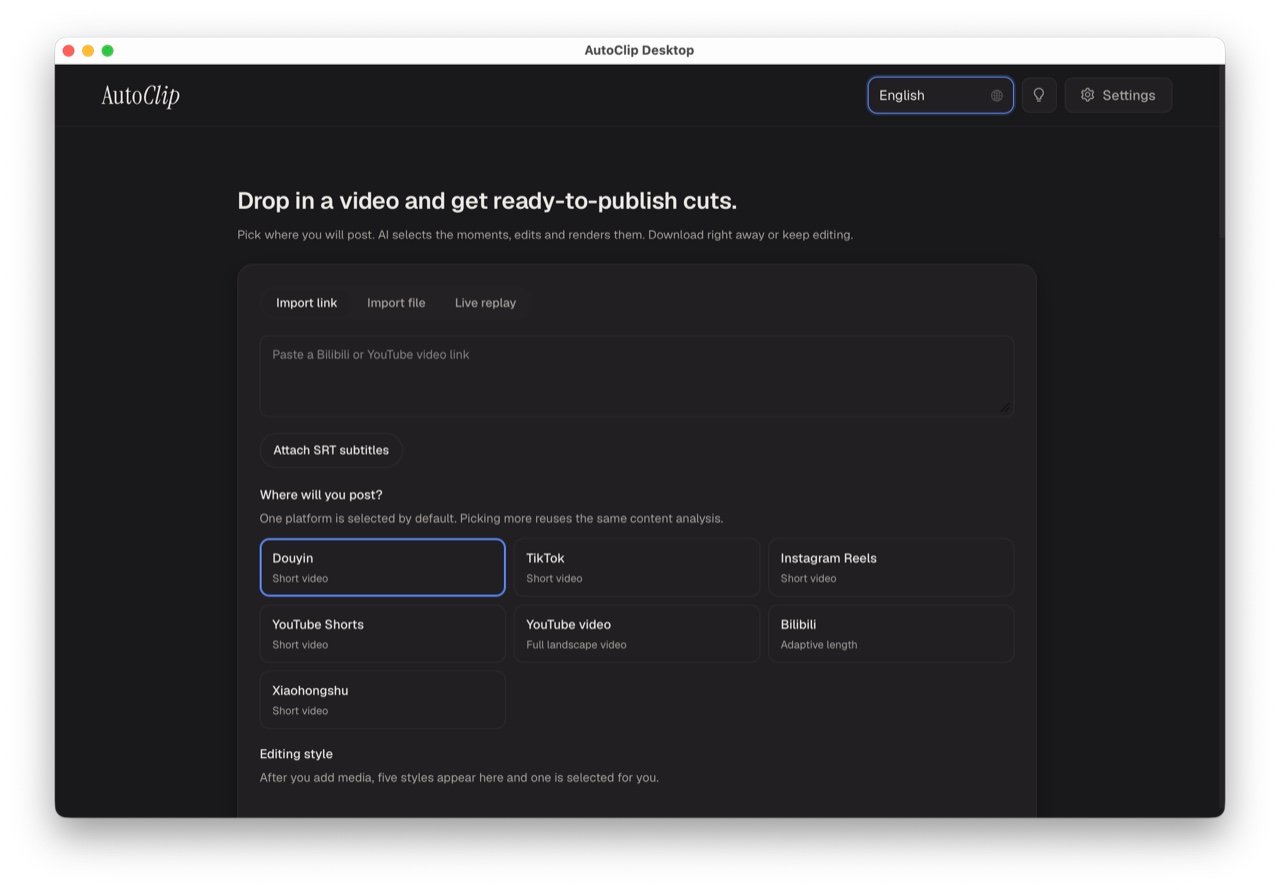
AutoClip Desktop Home Dashboard — import local footage, paste URLs, or capture live game replays
See AutoClip in Action
Here is a real vertical highlight clip generated end-to-end by AutoClip from a long-form podcast interview (“AI at the controls” — Sam Altman × Alex Heath), complete with multi-speaker framing, animated captions, and editorial styling:Real AutoClip output: Sam Altman × Alex Heath podcast highlight (9:16 portrait)
Why Creators & Teams Choose AutoClip
- Local-First & Zero Subscriptions: Free, open-source desktop app with bundled Python, FFmpeg, and optional local Whisper / SenseVoice speech recognition. Your raw footage never leaves your machine unless you choose to publish.
- 34+ Visual Templates & AI Style Cloner: Switch between Editorial, Street, Cinema, News, and 3D depth portrait layouts — or clone the typography, palette, and framing of any reference clip in seconds.
- Live Game Replays & Stream Import: Connect directly to your OBS Replay Buffer or import Twitch and YouTube VODs to turn clutch gaming moments into vertical highlights.
- Bring Your Own AI Provider: Mix and match OpenAI, Google Gemini, DeepSeek, MiniMax, Alibaba Bailian (DashScope / Qwen), APIMart, or 100% offline Ollama and LM Studio.
- CLI & MCP Server Built In: Automate clipping workflows from Claude Code, Cursor, Windsurf, or Antigravity via
uvx autoclip-mcporpip install autoclip-mcp.
Explore the Documentation
Desktop Installation
Download and install AutoClip on macOS (Apple Silicon & Intel) or Windows x64, including first-launch security walkthroughs.
First Clip in 5 Minutes
Connect an AI model, import your first video, and export ready-to-post vertical clips step by step.
Podcast & Interview Clipping
Multi-speaker reframing, highlight scoring, bilingual & CJK caption wrapping, and Studio fine-tuning.
Game Streams & Live Replays
Connect OBS Replay Buffer, import Twitch & YouTube VODs, and review highlight result cards.
AI Style Cloner & Templates
Extract visual styles from any reference clip and explore 34+ customizable templates.
AI Providers & Local Models
Configure cloud APIs (OpenAI, Gemini, DeepSeek, MiniMax, DashScope) or run 100% offline with Ollama.