1. Animated Captions & Safe Zones
AutoClip renders crisp, burned-in captions using your selected template’s typography, animation curve, and safe-zone geometry:- Platform Safe Zones: Keeps subtitles clear of the right-side action buttons and bottom description overlays on TikTok, YouTube Shorts, and Instagram Reels.
- Multilingual & CJK Fidelity: Supports English, Chinese, Japanese, Korean, and bilingual dual-line captions without broken line breaks or missing glyphs.
- Optional Clean Export: Toggle captions or brand outros off per job whenever you want a clean master video for manual editing in Premiere Pro, Final Cut, or DaVinci Resolve.
2. Auto Cover & Thumbnail Generation
AutoClip selects sharp, expressive keyframes from each clip (avoiding motion blur and closed eyes) and composites your hook headline, contrast backdrop, and template styling into ready-to-upload covers for both vertical (9:16) and widescreen (16:9) feeds.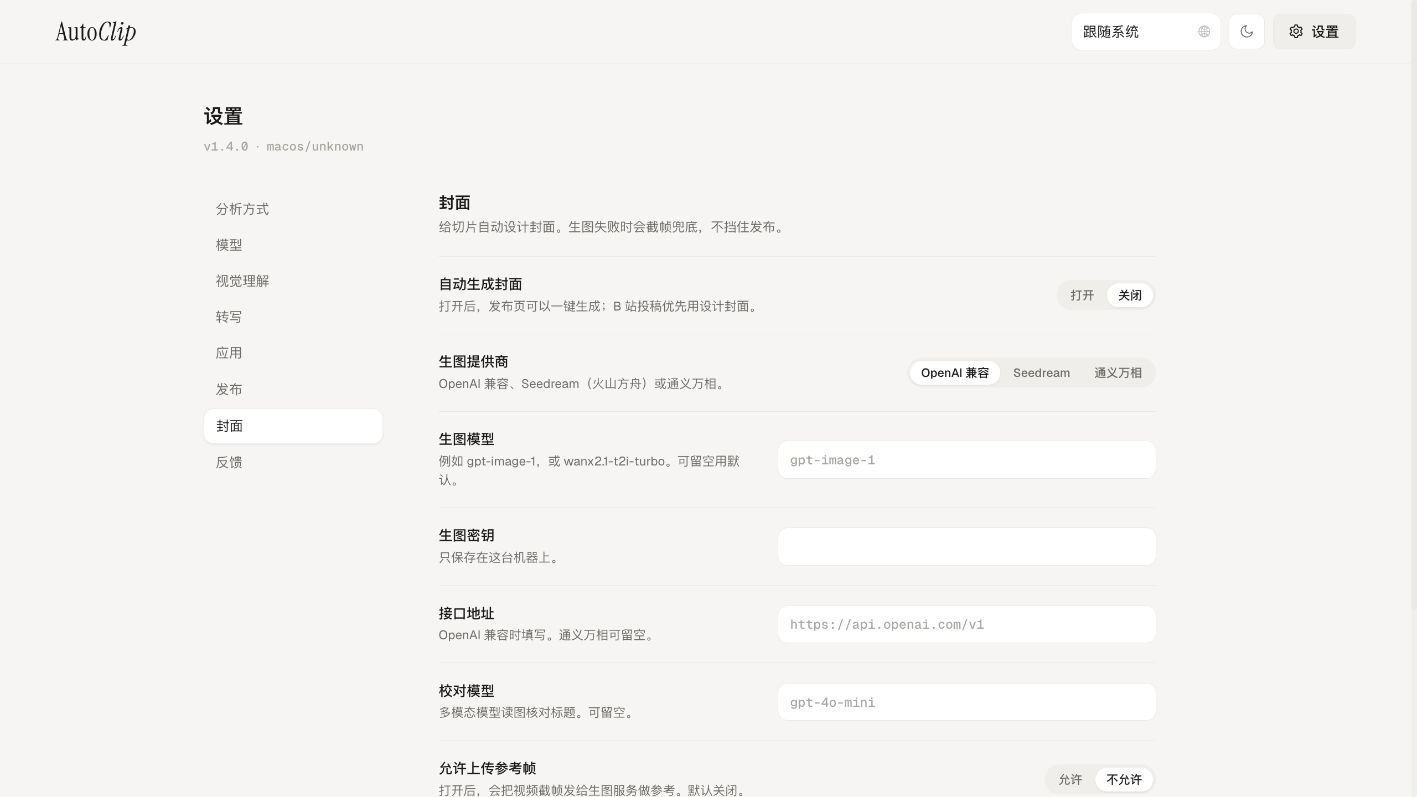
Auto Cover Generation — pick keyframes, adjust headline overlays, and export thumbnails
3. Platform Export Presets & Ready-to-Post Kits
Export individual clips or batch-export an entire episode as Ready-to-Post Kits containing:- Encoded
MP4video matched to target aspect ratio and bitrate - Matching cover image (
PNG/JPG) - Platform-specific title, hook description, and hashtag copy
- Subtitle file (
.srt) for platforms that support native closed captions
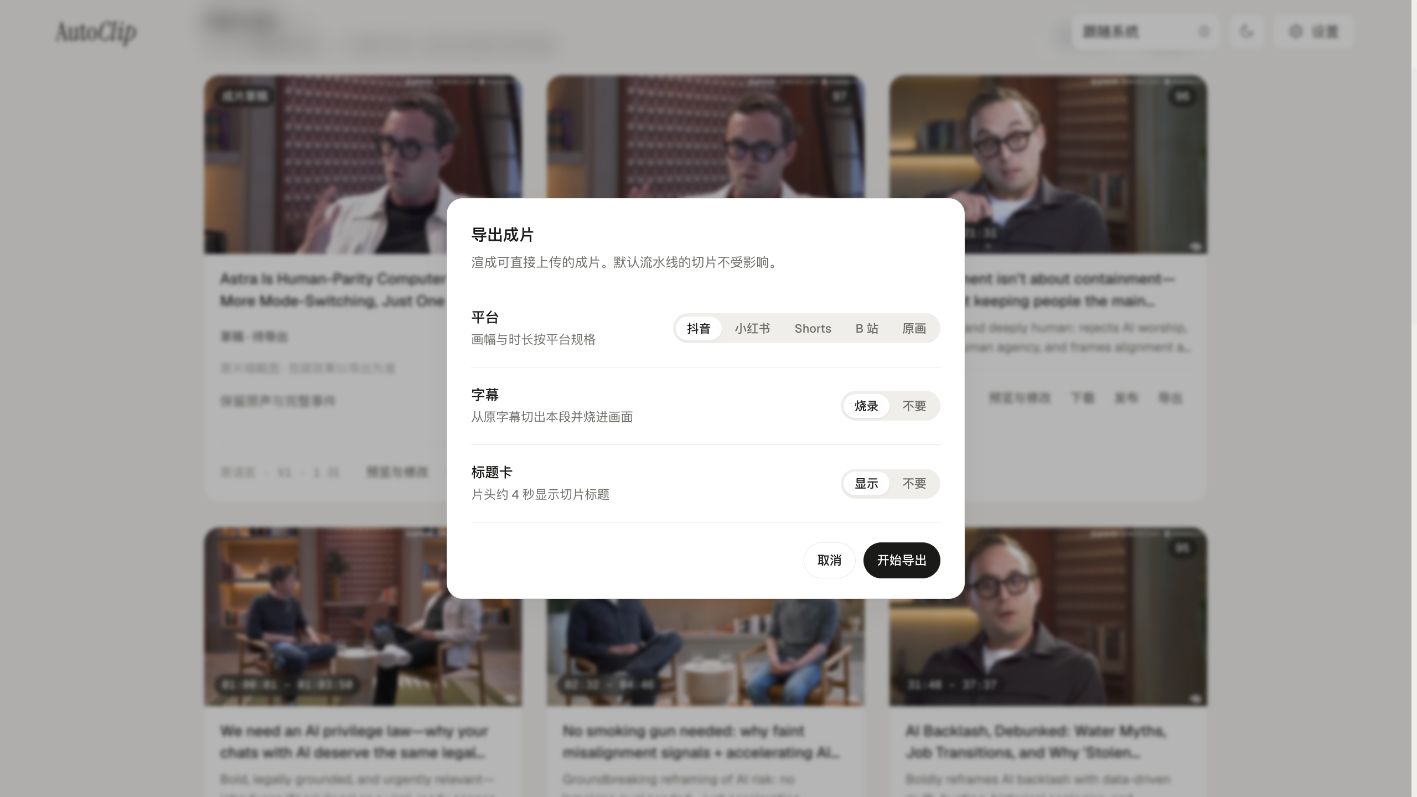
Export Presets — choose target resolution, aspect ratio, codec, and ready-to-post kit outputs
4. Multi-Platform Publishing (Upload-Post)
Skip manual drag-and-drop uploads across five browser tabs. Connect Upload-Post in AutoClip’s Publish panel to distribute finished clips, covers, and titles directly to:- YouTube Shorts
- TikTok
- Instagram Reels
- X (Twitter)
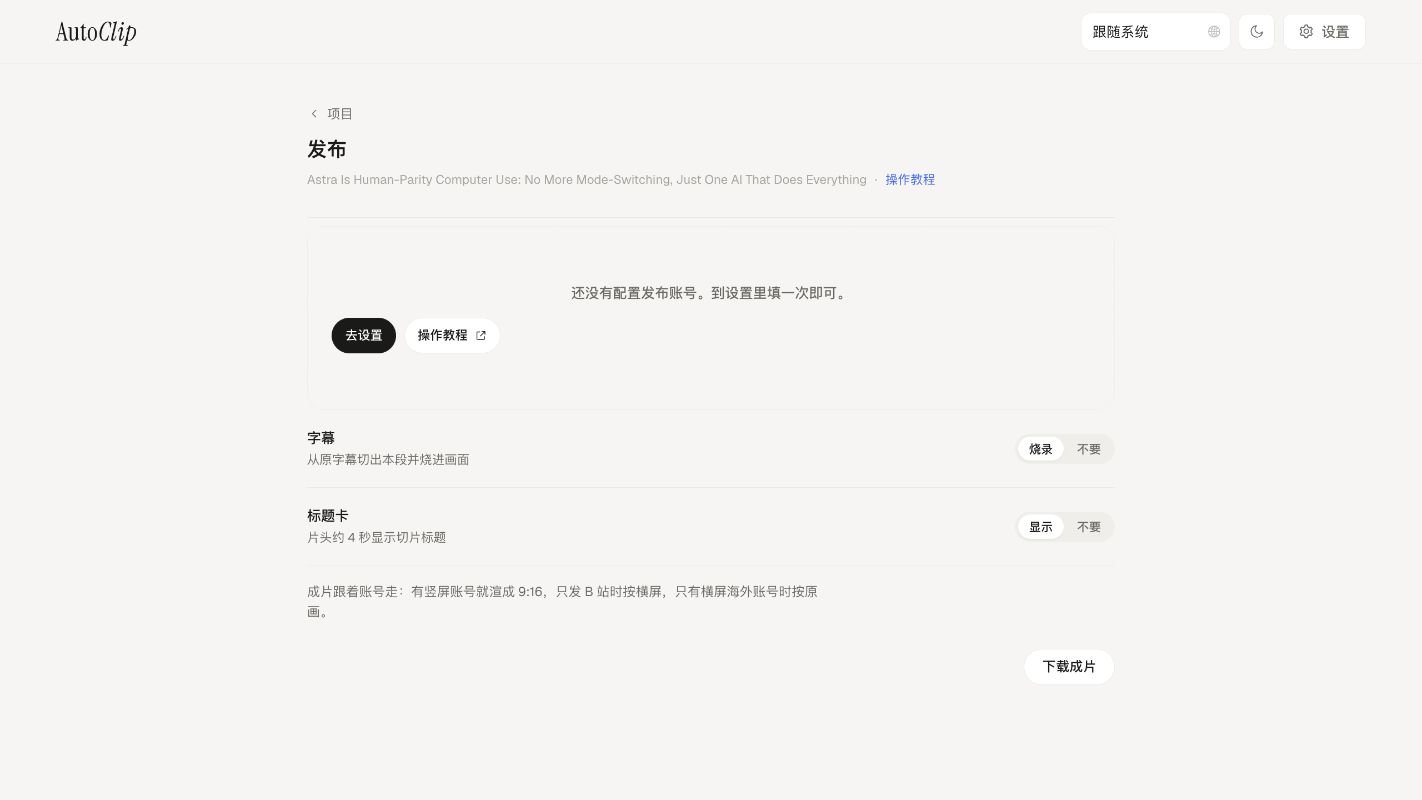
Multi-Platform Publishing — schedule or publish clips directly via Upload-Post