Clone Any Style with AI Style Cloner
Instead of manually tweaking dozens of font, stroke, shadow, and layout sliders, drop a reference video or frame into the AI Style Cloner. AutoClip analyzes its typography hierarchy, color palette, caption treatment, and framing geometry, then generates a reusable template preset you can apply across all future clips.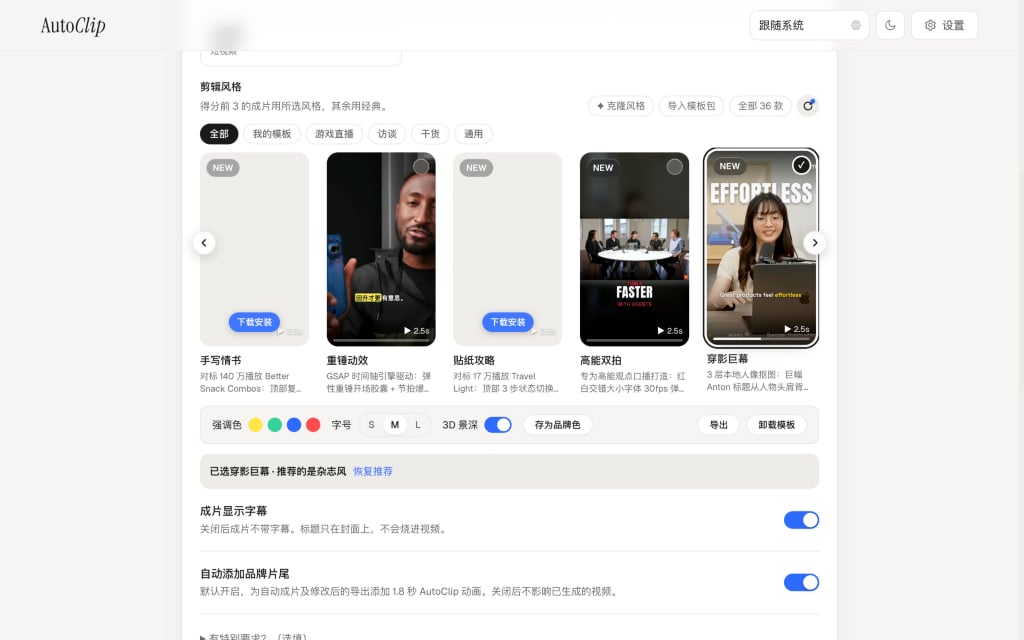
AI Style Cloner bar — launch style extraction directly from the template selector
1
Open the AI Style Cloner
Click the AI Style Cloner button in the template bar on the import screen or inside Studio.
2
Provide a Reference Clip or Screenshot
Upload a short reference clip or screenshot whose caption style, headline treatment, and layout you want to match.
3
Inspect & Save Your Cloned Preset
Review the extracted color tokens, typography, and layout preview in the modal. Fine-tune any detail if desired, then save it as a reusable custom template for your channel.
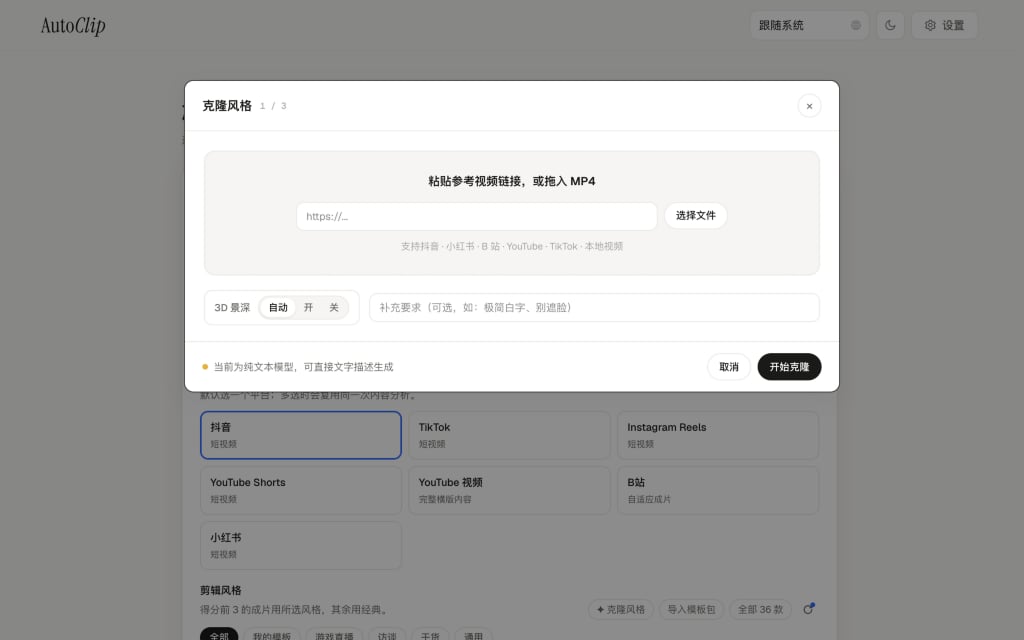
AI Style Cloner modal — analyze reference visuals and save a reusable template
AI Style Cloner uses a vision-capable model (such as Google Gemini
gemini-2.5-flash or OpenAI GPT-4o / GPT-4.1) configured in Settings → AI Models. See AI Providers & Local Models to verify your vision model setup.Explore 34+ Built-In Templates
AutoClip ships with 34+ production-ready templates spanning editorial commentary, podcast interviews, street kinetic captions, news tickers, cinema letterbox, and 3D depth portraits. Browse live visual previews in the AutoClip Template Gallery.Editorial Channel Folio Toggle
Editorial templates include an Editorial Channel Folio toggle (header/footer metadata such as channel name, episode number, or handle).- Turn it ON for branded podcast series and recurring columns where consistent episode framing builds audience recognition.
- Turn it OFF right from the template options when you want a clean, full-bleed look without header/footer text chrome.